 |
SysAnalyzer
Automated malcode runtime analysis suite
|
|
SysAnalyzer
Automated malcode runtime analysis suite
|
SysAnalyzer is an open-source application for malcode analysts to collect, compare, and report on the actions a binary takes while running on a system. It supports Windows 2000 through Windows 10/11, including 64-bit targets.
SysAnalyzer takes a snapshot of system state, runs the target binary for a user-specified interval, takes a second snapshot, and reports the differences. The snapshot model exists to suppress noise: only persistent changes since the binary launched are surfaced, instead of every transient event a live monitor would record.
To compensate for what a pure snapshot model would miss, several optional live-logging components run in parallel: an in-process API logger, an HTTP/DNS/IRC sniffer (Sniff Hit), full packet capture (windump), a directory watcher, and a process-creation watcher.
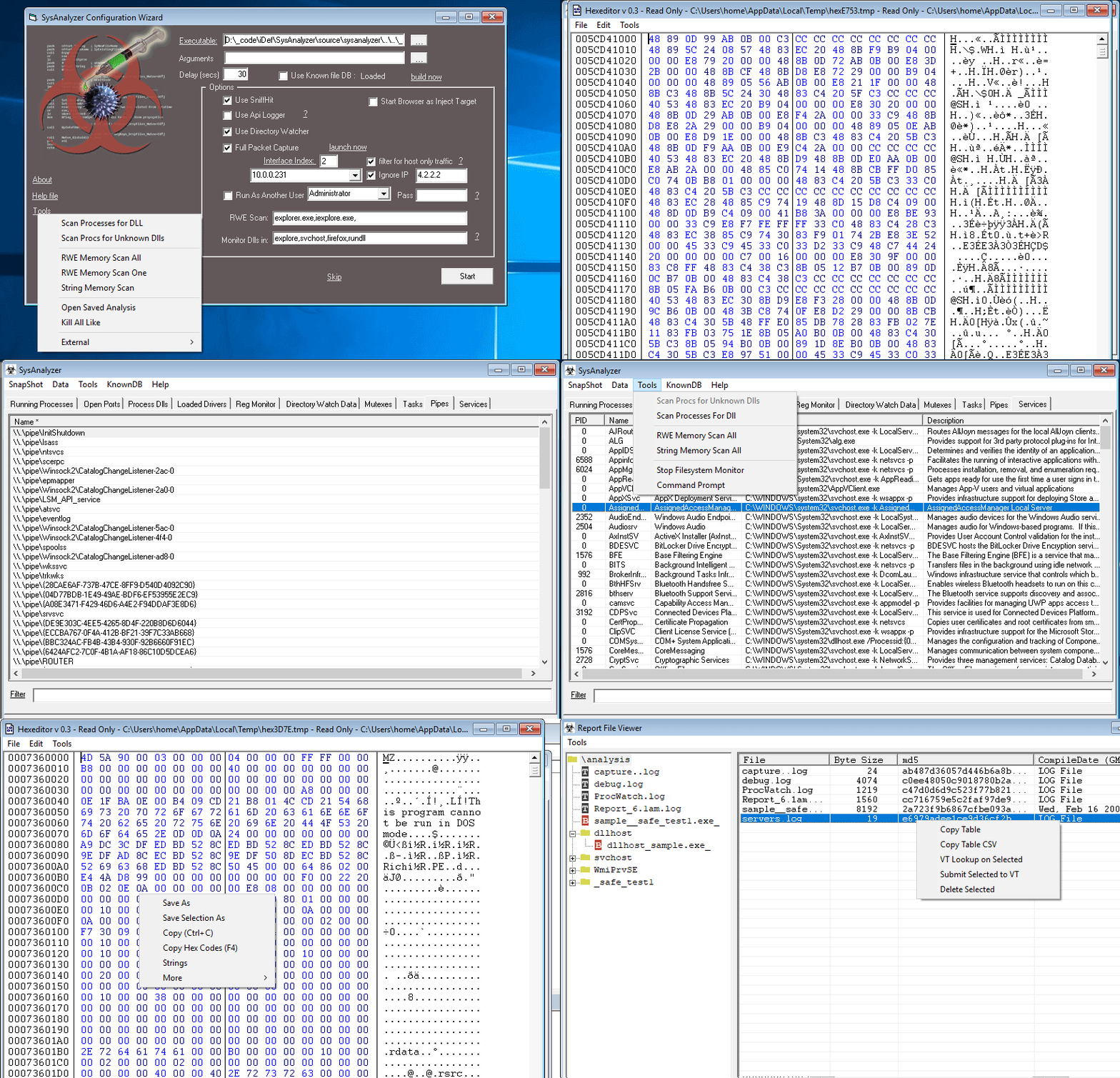
Each category gets its own tab in the main UI. Snapshot 1 is taken before the binary launches, Snapshot 2 after the delay, and the diff is the default view.
| Category | Source |
|---|---|
| Running processes | PID, parent PID, user, path, owning service |
| Open ports | TCP/UDP port, owning PID, path, owning service |
| Process DLLs | Modules loaded into a configurable set of monitored processes |
| Loaded drivers | Kernel drivers by file, company, description |
| Registry keys | Autorun, IFEO, services, AppInit_DLLs, shim DBs, IE add-ons, firewall rules — full list |
| Mutexes | Named kernel mutex objects, by owning PID |
| Tasks | Scheduled tasks (name, executable, full path) |
| Pipes | Named pipes |
| Services | Windows services (PID, name, display name, path, description) |
| WMI | WMI event subscriptions (a common persistence vector) |
| Component | What it captures |
|---|---|
| API Logger | In-process inline-hook log of selected Win32 APIs across the target and any children it spawns |
| Sniff Hit | HTTP, DNS, IRC traffic decoded into a readable, copyable view; also picks up traffic on non-standard ports |
| Full packet capture | windump (libpcap) writes a .pcap of the analysis interface |
| Directory watcher | File-system change notifications across the drive; modified files auto-saved into the analysis folder |
| Process watcher | External proc_watch logs every process creation and termination |
When the countdown hits zero, SysAnalyzer runs the following automatically:
[Desktop]\analysis\[procname]\.explorer.exe, iexplore.exe) for the same; useful for catching code injection into stable host processes.Report_[time].log) to the analysis folder.The Report Viewer is the post-run window for walking the analysis folder. Tree on the left over every file the run produced; right pane switches between an editable text view, an embedded hex viewer, and a folder hashing view depending on what's selected. Includes find/replace, VirusTotal lookup and submit, and a configurable external-tools menu for handing files off to your reverse-engineering toolchain.