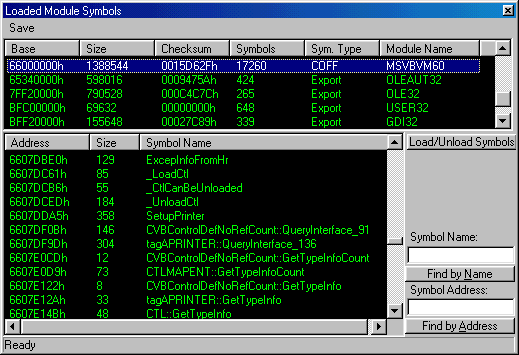
This dialog shows the different modules loaded by the application, that is to say all the DLL that uses the process that is being analyzed by the debugger. The most important information is maybe the base of the image in memory (which we can use the Memory Editor to see it) another interesting fact is maybe the type symbolic information found for each module. The column Sym. Type indicates us the type of information that has been obtained
of the module, None indicates that there is no information of any kind for that module, Export indicates that it only can recover the export information, that is to say all the names of the symbols exported by the module that are accessible from the process. The other possible types of information can be COFF, PDB and some more than I don't remember. But so that these symbols are loaded they will be included inside the module or in an external file of symbols (typically a DBG) that is stored in a directory called \DBG in the same directory in which is located the debugger. The button Find By Address doesn't work correctly, it seems to be a failure in IMAGEHLP.DLL we are investigating about it. The Symbols can be loaded/unloaded in any moment pressing the button Load/Unload Symbols, once loaded there is no need to reload them again. Remember that Loading symbols could be a very slow task, so wait while the status bar indicates a Ready status.